Now Live — v2.0.11

Every AI agent.
One terminal.

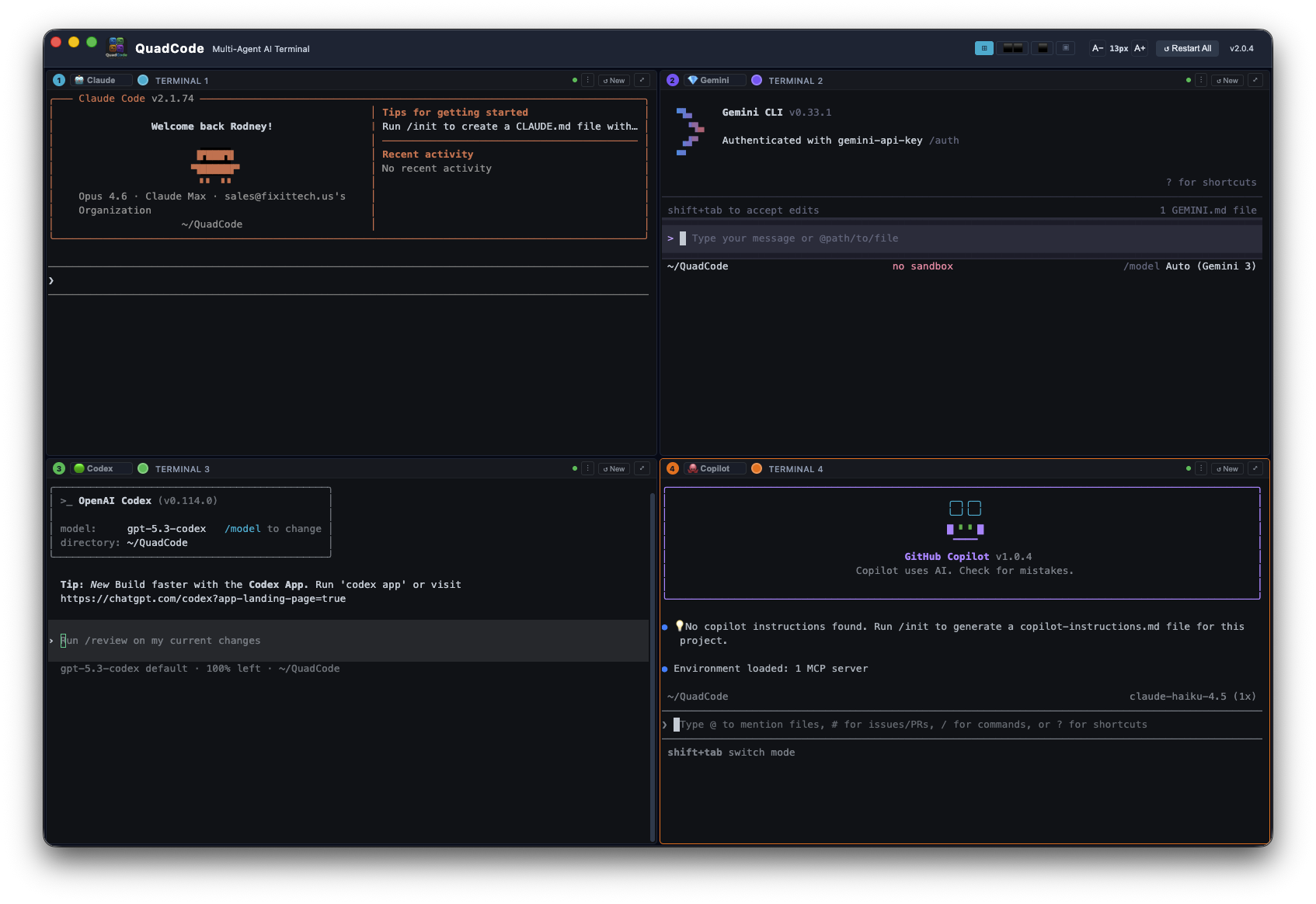
Claude, Gemini, Codex, Aider — run them all simultaneously in 4 parallel panes. Native macOS & Linux app, built for developers who move fast.

⬇ Download Free Trial — macOS 🐧 Download Free Trial — Linux
Signed & Notarized 7-Day Free Trial No Credit Card Required No Subscription — Ever
QuadCode — Multi-Agent AI Terminal
QuadCode — 4 parallel AI agent sessions
✓ Free 7-Day Trial

Try QuadCode Free

7-day free trial. No credit card required. Works on macOS Apple Silicon & Linux.

⬇ Download Free Trial — macOS 🐧 Download Free Trial — Linux

macOS 12+ · Apple Silicon · Signed & Notarized · Linux x86_64 AppImage

or unlock lifetime access
$24.50
one-time · lifetime license · no subscription
Buy License — $24.50
Secure checkout via Stripe
License key emailed instantly
No subscription — ever
macOS Apple Silicon · Linux x86_64
QuadCode on Product Hunt
View our Promo Video
See QuadCode in action

I’ve been using QuadCode to build an application that’s now over 80,000 lines of code. Having four separate agent sessions running in parallel has completely changed how I work — I can have Claude working on one feature in one pane while it handles a completely different task in another. I don’t know how I shipped anything before this.

T
Toby O.
Software Developer — Early Access User
Watch QuadCode in Action
5-minute live demo — real development session, no cuts

Everything you need

Built for developers who move fast

4 Parallel Sessions

Run Claude, Gemini, Codex & Aider side-by-side. Different agent per pane — switch anytime.

🔢

Flexible Layouts

4-pane grid, side-by-side, stacked, or single focus. Sessions keep running when hidden.

Broadcast Mode

Type once, send to all panes instantly. Perfect for git pull, npm install, or any repeated command.

📌

Pinned Commands

Save up to 5 quick-run commands per pane. One click to fire — no retyping ever again.

🖥️

Zoom Any Pane

Maximize any pane to full window with one click. Restore instantly.

🏷️

Named Panes

Give each terminal a project name. Titles persist across relaunches.

🎨

Custom Colors

Pick any accent color per pane. Borders, cursors, highlights update instantly. Saved across sessions.

⌨️

Keyboard Shortcuts

Cmd+1–4 focus panes, Cmd+R restart, Cmd+Enter zoom, Cmd+B broadcast. Stay in flow.

⚙️

Native macOS & Linux App

Built on Electron — a real desktop app. Not a browser extension. Full terminal capabilities.

🖱️

Right-Click Menu

Copy, Paste, Select All, Clear Terminal — native right-click in any pane.

💾

Session Memory

Agent, title, color, and pinned commands all persist across restarts.

📖

Built-in Help

Full user manual, shortcuts overlay, and quick links to request features or report bugs.

🔤

Adjustable Font

A-/A+ or Cmd+/-. Range 9px–28px. Persists across restarts.

Auto / Bypass Mode

Select Claude ⚡, Gemini ⚡, Codex ⚡ or Aider ⚡ from the per-pane dropdown to automatically pass the skip-prompts flag. You confirm once — then it runs hands-free.