QuadCode should appear in your Downloads folder in a moment.
📦 How to install QuadCode
Open the DMG
Once the download finishes, double-click QuadCode-2.0.11-arm64.dmg in your Downloads folder to mount it.
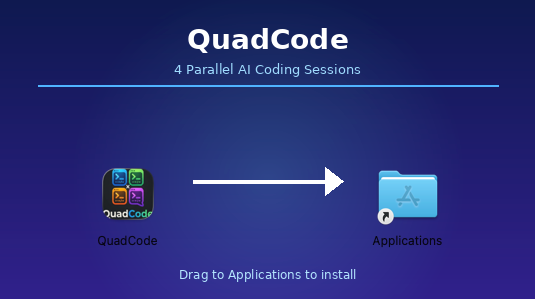
Drag QuadCode into the Applications folder
Drag to Applications
In the window that opens, drag the QuadCode icon into the Applications folder shortcut.
Launch QuadCode
Open Finder → Applications and double-click QuadCode. Your free 7-day trial starts automatically — no account needed.
Connect your AI agents
QuadCode runs the AI command-line tools already installed on your Mac — Claude Code, Gemini CLI, Codex CLI, or Aider — and detects them automatically. Install and sign in to at least one using that tool's own instructions. QuadCode doesn't ask for or store API keys itself.
Download didn't start? Click here to try again.
← Back to getquadcode.com