✓
Your download is starting…
QuadCode should appear in your Downloads folder in a moment.
⬇ QuadCode-2.1.7-arm64.dmg
Requires macOS 13 (Ventura) or later on Apple Silicon, Linux x86_64 (AppImage or .deb), or Windows 10/11 (x64). Intel Macs are not supported.
📦 How to install QuadCode
1
Open the DMG
Once the download finishes, double-click QuadCode-2.1.7-arm64.dmg in your Downloads folder to mount it.
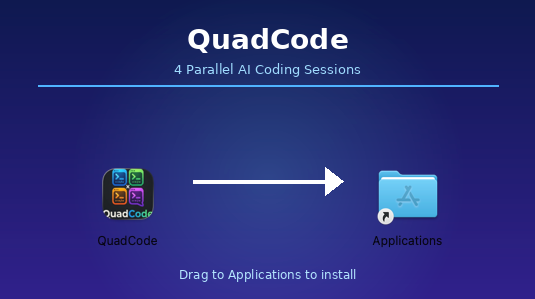
Drag QuadCode into the Applications folder
2
Drag to Applications
In the window that opens, drag the QuadCode icon into the Applications folder shortcut.
3
Launch QuadCode
Open Finder → Applications and double-click QuadCode. Your free 7-day trial starts automatically — no account needed.
4
Connect your AI agents
QuadCode runs the AI command-line tools already installed on your Mac — Claude Code, Gemini CLI, Codex CLI, or Aider — and detects them automatically. Install and sign in to at least one using that tool's own instructions. QuadCode doesn't ask for or store API keys itself.
🐧 How to install QuadCode on Linux
1
Make it executable
Open a terminal and run:
chmod +x QuadCode-1.1.7-x86_64.AppImage
2
Launch it
Double-click the AppImage file, or run it from terminal:
./QuadCode-1.1.7-x86_64.AppImage
3
Your trial starts
The 7-day free trial begins on first launch — no account or credit card needed. Install and sign in to at least one AI CLI (Claude Code, Gemini CLI, Codex CLI, or Aider) and QuadCode will detect it.
4
Prefer a .deb package?
On Ubuntu or Debian you can install QuadCode as a package instead:
wget https://getquadcode.com/download/quadcode_1.1.7_amd64.deb
sudo apt install ./quadcode_1.1.7_amd64.deb
🪟 How to install QuadCode on Windows
1
Run the installer
Once the download finishes, double-click QuadCode-Setup-0.1.2.exe in your Downloads folder.
2
If Windows SmartScreen appears
The Windows installer is not code-signed, so SmartScreen may warn on first run. Click More info, then Run anyway.
3
Finish setup and launch
Follow the installer, then open QuadCode from the Start menu. Your free 7-day trial starts automatically — no account needed.
4
Connect your AI agents
QuadCode runs the AI command-line tools already installed on your PC — Claude Code, Gemini CLI, Codex CLI, or Aider — and detects them automatically. Install and sign in to at least one using that tool's own instructions. QuadCode doesn't ask for or store API keys itself.
Download didn't start? Click here to try again.
Also available:
macOS ·
Linux ·
Windows
← Back to getquadcode.com